
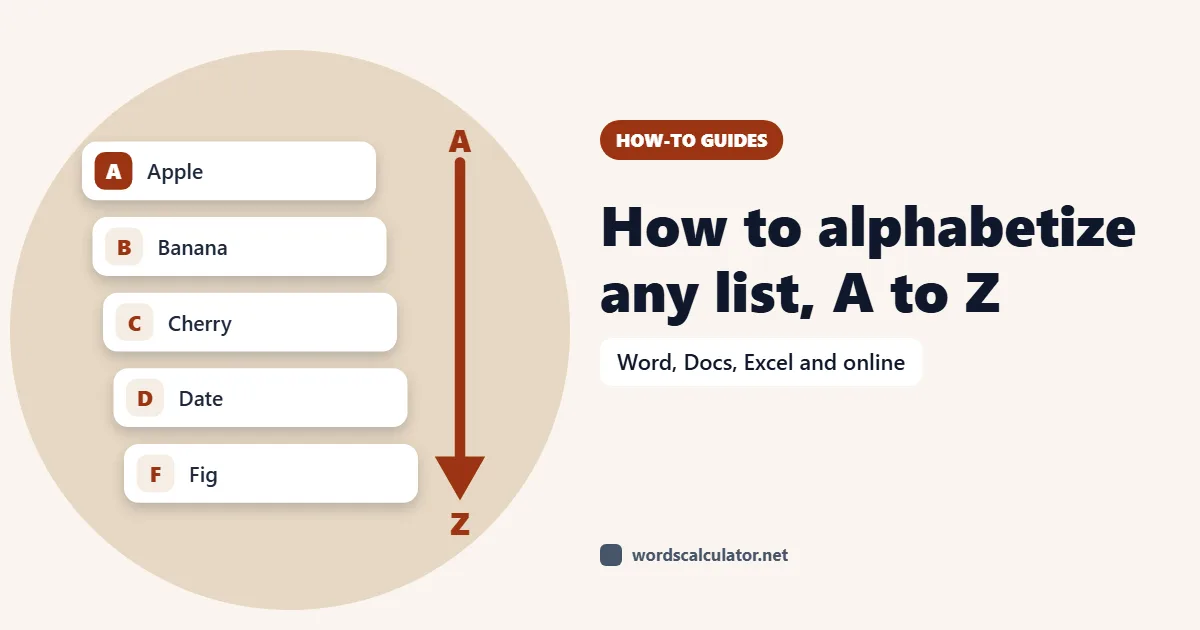
Here's how to alphabetize a list: put each item on its own line and sort it A to Z. In Microsoft Word, select the list and choose Home > Sort; in Google Sheets or Excel, use Sort A to Z; in Google Docs, which has no sort command, paste the list into a spreadsheet or an online alphabetizer and paste it back.
The button is the easy part. The questions that trip people up come after: how to sort by last name, whether "The Beatles" goes under B or T, and why your list says 1, 10, 2 instead of 1, 2, 10. This guide covers the steps for each app and the alphabetical order rules that editors and indexers use.
The fastest way to alphabetize a list
If your list isn't already in Word or a spreadsheet, the quickest route is an online tool. Paste the list into our Alphabetize List tool, pick A to Z or Z to A, and copy the sorted result. It can also sort by the last word on each line (handy for names) and remove duplicate lines in the same pass.
Whatever tool you use, check one thing first: every item must be on its own line. Sorting works on lines or paragraphs, so a comma-separated list like "pears, apples, kiwis" is treated as one item. If your list is messy, with extra spaces or blank lines, run it through the Text Cleaner before sorting, because a leading space can push an item to the top of the list.
How to alphabetize a list in Microsoft Word
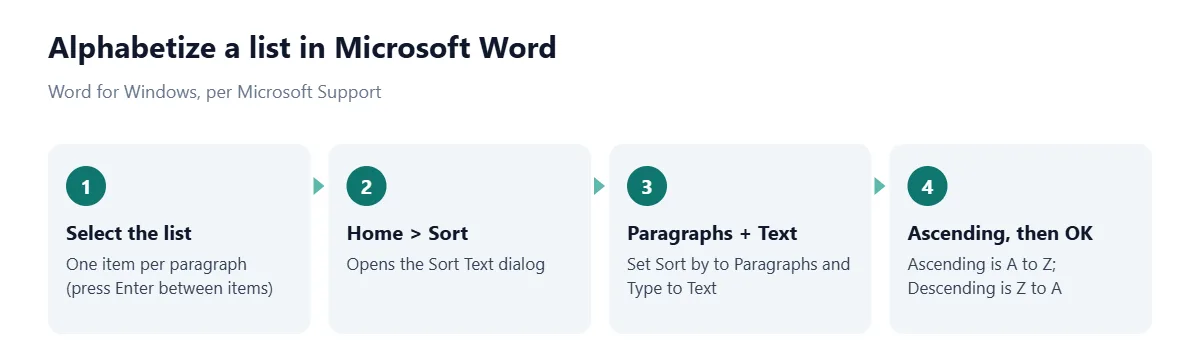
Word has a built-in sort that works on any list, bulleted, numbered or plain. The steps from Microsoft Support for Word on Windows are:
Select the list you want to sort.
Go to Home > Sort.
Set Sort by to Paragraphs and Text.
Choose Ascending (A to Z) or Descending (Z to A).
Select OK.
Before you sort, make sure there are no blank paragraphs inside the list. Word sorts empty paragraphs too, and they all end up bunched at the top.
How to alphabetize by last name in Word
By default, Word sorts on the first word of each line, so "Maria Lopez" files under M. To sort by surname, tell Word that a space separates the fields. This method is from a Microsoft Q&A answer:
Select the list and click Sort on the Home tab.
In the Sort Text dialog, click Options.
Under Separate fields at, choose Other and type a single space. Click OK.
In the Sort by box, choose Word 2, then click OK.
This only works if every name has exactly two parts. "Mary Ann Smith" would sort under Ann. The fix is to join the first names with a nonbreaking space (Ctrl+Shift+Space) so Word treats "Mary Ann" as one word. With a long, varied list, it's often faster to use the "by last word" option in our alphabetizer, which always uses the final word regardless of middle names.
How to alphabetize in Google Docs
Google Docs doesn't have a sort command of its own. You have two options:
Use Google Sheets as a sorter. Copy the list, paste it into column A of a blank sheet, sort it (steps below), then copy it back into your document. It takes under a minute and needs no add-ons.
Use an add-on. The popular Sorted Paragraphs add-on sorts selected paragraphs A to Z or Z to A. Its Marketplace page lists more than 4 million installs, but reviews from mid-2026 report that it no longer works for many users, so don't count on it.
An online alphabetizer does the same job as the Sheets trick with fewer clicks.
How to alphabetize in Google Sheets
Sheets gives you three ways to sort, according to Google Docs Editors Help:
Sort the whole sheet by one column. Right-click the letter at the top of the column and choose Sort sheet A to Z (or Z to A). Every row moves together, so names stay attached to their emails or scores.
Sort just a range. Select the cells, then go to Data > Sort range > Advanced range sorting options. Tick Data has header row if your first row is a heading, choose the column and order, and click Sort.
Use a formula. The SORT function returns a sorted copy and leaves the original alone: =SORT(A2:A50, 1, TRUE) sorts A2:A50 A to Z. The copy updates automatically when you add items.
If you have a header row and you're sorting the whole sheet, freeze the first row first, as Google's help page advises; otherwise your heading gets sorted into the list.
How to alphabetize in Excel
In Excel, click any cell in the column you want to sort, then on the Data tab, in the Sort & Filter group, select Sort A to Z, as described by Microsoft Support.
Excel also has a SORT function: =SORT(A2:A50) returns the list in ascending order. It's available in Excel for Microsoft 365, Excel 2021 and Excel 2024 (Windows and Mac), and the mobile apps. Older versions such as Excel 2019 don't have it, so use the Data tab instead.
Microsoft flags two problems that cause a sort to look wrong. First, leading spaces: data imported from other apps sometimes has spaces before the text, which pushes those items out of order. Clean them with the TRIM function. Second, mixed numbers: if a column has some numbers stored as numbers and some stored as text, the real numbers are sorted before the text ones. Format the whole column one way before sorting.
How to alphabetize on a Mac (Pages)
Pages can sort tables but not an ordinary list of paragraphs. Apple's Pages User Guide says to click anywhere in the table, move the pointer over the letter above the column you want to sort by, click the arrow that appears, and choose Sort Ascending for A to Z. Text in header and footer rows isn't sorted, so your column heading stays put.
For a plain list in Pages, Notes or TextEdit, the simplest path is to paste it into an alphabetizer or a spreadsheet, sort it, and paste it back.
Alphabetical order rules: letter-by-letter vs word-by-word
Apps sort mechanically, but indexes, bibliographies and directories follow editorial rules, and the biggest one is what to do with spaces. There are two systems:
Word-by-word: alphabetizing stops at the end of the first word, so every entry starting with "New" as a separate word comes before "newborn". Order: New Deal, New York, newborn, newspaper.
Letter-by-letter: spaces are ignored and entries are read as one long string. Order: newborn, New Deal, newspaper, New York.
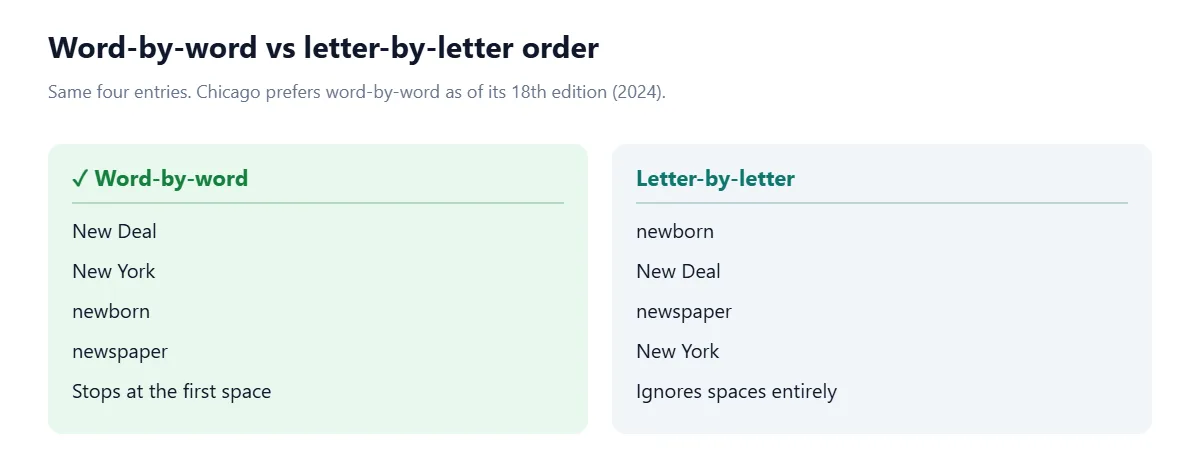
The Chicago Manual of Style Q&A on alphabetizing notes that Chicago now prefers the word-by-word system, as of the 18th edition (CMOS 15.66). It also points out that a comma interrupts alphabetizing in both systems, which is why "New, Zoe" (a surname followed by a first name) files before "New Deal".
Here's what most guides don't tell you: software doesn't follow either rule exactly. Most apps compare characters one at a time and treat a space as a character that sorts before letters, which gives you word-by-word order in simple cases. Hyphens and apostrophes are less predictable. If you're building a formal index, check the result by eye against your style guide.
How to alphabetize names, titles starting with "The", and numbers
Situation | Editorial rule | What software does |
|---|---|---|
People's names | Sort by surname: Lopez, Maria | Sorts on first word unless told otherwise |
Titles starting with The, A, An | Ignore the article: Day in the Life, A | Files under T or A |
Titles starting with a number | Treat as spelled out, or group numbers first | Puts numbers before letters |
Capital vs lowercase | Ignore case | Usually ignores case |
Numbers inside text | Numeric order: 2 before 10 | Character order: 10 before 2 |
For initial articles, Chicago's approach is to invert the title so the article moves to the end, as in "Day in the Life, A", and alphabetize on the next word. For titles that start with a numeral, the same Q&A suggests alphabetizing as if the number were spelled out ("1939" under N for nineteen), or, in lists where many titles start with numbers, grouping them in numerical order at the beginning. Pick one approach and use it throughout.
Why does my list sort 1, 10, 2 instead of 1, 2, 10?
Because the app is sorting text, not numbers. It compares "10" and "2" one character at a time, sees that "1" comes before "2", and stops there. The same thing happens with file names, chapter titles and product codes.
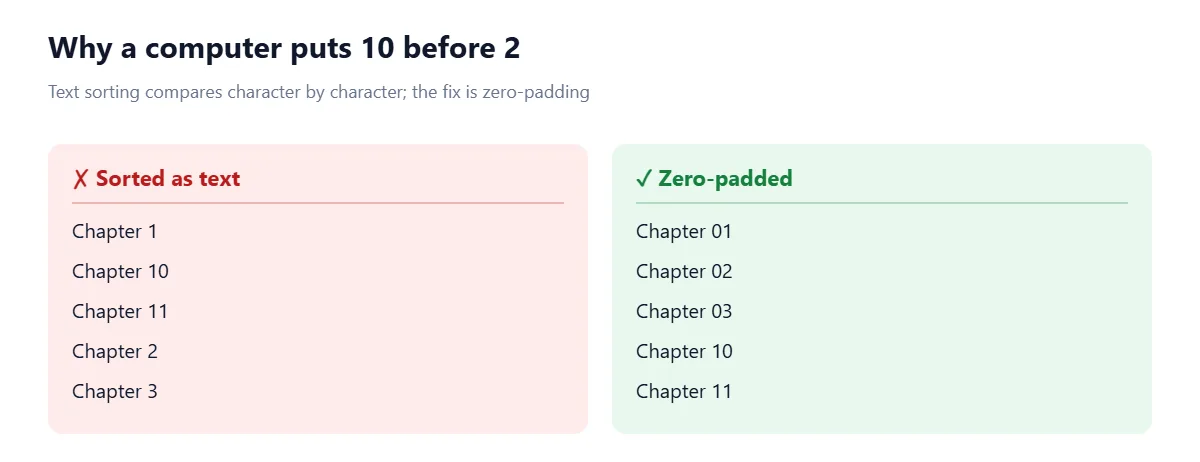
Pad with zeros. Write 01, 02 ... 10 so every number has the same number of digits. This works in every app.
Sort as numbers in Word. In the Sort Text dialog, change Type from Text to Number when the list starts with numbers.
Put numbers in their own column in Sheets or Excel, stored as real numbers, and sort by that column.
Common alphabetizing mistakes
Items not on separate lines. Word and spreadsheets sort paragraphs or cells, not items separated by commas.
Invisible leading spaces or tabs. They sort before letters and push items to the top.
Sorting one column and breaking your rows. In a spreadsheet, sort the whole table by a column, not one column on its own, or names get separated from their data.
Sorting the header row. Tick "Data has header row" or freeze the first row.
Mixed conventions. "Smith, John" and "Jane Doe" in the same list will never sort correctly. Make every entry follow the same pattern first.
Duplicates. Sorting puts duplicates next to each other, which is the perfect moment to remove them.
Once your list is sorted, the Word Counter will tell you how many items (lines) it contains, which is a quick check that nothing went missing.
Frequently asked questions
How do I alphabetize a list in Word?
Select the list, go to Home > Sort, set Sort by to Paragraphs and Text, choose Ascending and click OK. Each item needs to be its own paragraph.
Can Google Docs alphabetize a list?
Not on its own; Google Docs has no built-in sort command. Paste the list into Google Sheets or an online alphabetizer, sort it A to Z, and paste it back.
How do I alphabetize by last name?
In Word, open Home > Sort > Options, set Separate fields at to Other with a space, then sort by Word 2. In a spreadsheet, split first and last names into separate columns and sort by the last-name column.
How do I sort alphabetically in Google Sheets?
Right-click the column letter and choose Sort sheet A to Z, or select a range and use Data > Sort range. The formula =SORT(A2:A50, 1, TRUE) returns a sorted copy.
How do I alphabetize in Excel?
Click a cell in the column, then on the Data tab select Sort A to Z. In Excel for Microsoft 365, 2021 and 2024 you can also use =SORT(range).
Do you ignore "The" when alphabetizing?
In indexes and bibliographies, yes: initial articles such as The, A and An are ignored, so "The Beatles" files under B. Software won't do this automatically, so move the article to the end ("Beatles, The") before sorting.
What is the difference between letter-by-letter and word-by-word alphabetizing?
Word-by-word stops at the first space, so "New York" comes before "newborn". Letter-by-letter ignores spaces, so "newborn" comes before "New York". Chicago style prefers word-by-word as of its 18th edition.
Why do numbers sort out of order?
Because they're being sorted as text, character by character, so 10 comes before 2. Add leading zeros (02, 10) or sort the column as numbers.
Sources
Microsoft. Sort a list alphabetically in Word. Microsoft Support.
Microsoft. Sort the contents of a table. Microsoft Support.
Microsoft Q&A. How do I alphabetize by last name, when the list is (first name, last name)?.
Microsoft. Sort data in a range or table. Microsoft Support.
Microsoft. SORT function. Microsoft Support.
Google. Sort & filter your data. Google Docs Editors Help.
Google. SORT function. Google Docs Editors Help.
Google Workspace Marketplace. Sorted Paragraphs.
Apple. Alphabetize or sort table data in Pages on Mac. Pages User Guide.
University of Chicago Press. Chicago Style Q&A: Alphabetizing. The Chicago Manual of Style Online.




Comments