

Alphabetize list guide
How to put a list in alphabetical order, and the rules behind it
In short
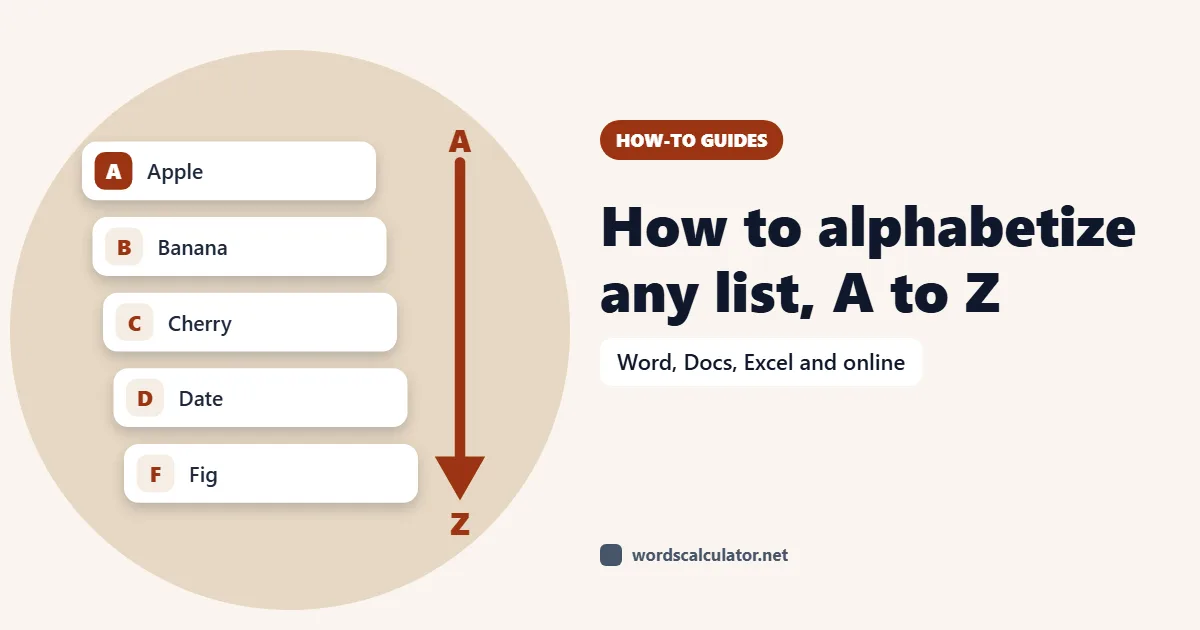
Paste your list, one item per line or separated by commas, and it's sorted A to Z straight away. Numbers inside items sort the way you'd expect, so Item 2 comes before Item 10. Switch to Z to A, sort by the last word or a column, remove duplicates, ignore “The” at the start, and copy the result as plain lines, a numbered list or a CSV file. Your list stays in your browser.
- Default order
- Natural A → Z
- Sort by
- Whole item, first or last word, column
- Duplicates
- Removed, keeping the first
- Where your list goes
- Nowhere. It stays in your browser
How to alphabetize a list online
Paste your list. It's split automatically: by line if there are line breaks, otherwise by commas, semicolons, tabs or pipes. Bullets and numbers at the start of each line are removed.
Choose a Sort order. Natural A → Z is the default; there's also Z → A, by number, by length, the original order reversed, or a shuffle.
Under Sort by, choose Whole item, First word, Last word or a column from comma- or tab-separated data.
Pick an output separator and list style (plain, numbered, bulleted or checkboxes), then copy or download the list as TXT or CSV.
Do numbers come before letters in alphabetical order?
In a computer sort, yes: digits come before letters. The trouble is that a plain alphabetical sort reads numbers one character at a time, so “Item 10” lands before “Item 2” because 1 comes before 2.
| Plain alphabetical | Natural (the default here) |
|---|---|
| Item 1 | Item 1 |
| Item 10 | Item 2 |
| Item 2 | Item 10 |
Natural sort reads the whole number, so chapters and file names come out in the order a person would expect. If you need items ordered purely by the number inside them, including decimals and negative numbers, use “First number · low → high”.
Printed indexes follow their own rules. The Chicago Manual of Style files a number as though it were spelled out (1984 under N for “nineteen”), while library filing rules put numbers before letters. If you're building an index to a style guide, check which rule it follows.
How to alphabetize names by last name
Choose Last word under Sort by. “Jane Smith”, “Ali Khan” and “Maria de la Cruz” are then sorted by Smith, Khan and Cruz, and the full names stay as they were. The key each item was sorted by is shown next to it, so you can spot any that went wrong.
For spreadsheets with first and last names in separate columns, paste the rows, set Sort by to A field / column, pick the separator (comma, tab, pipe or colon) and the column number.
Rules for alphabetizing: “The”, capitals and accents
- Ignoring “The”, “A” and “An”
- Book, film and band names are usually filed without the leading article, so “The Beatles” sorts under B. Turn on “Ignore leading articles”; you can edit the list of articles too.
- Capital letters
- By default, case is ignored: “apple” and “Apple” sort together. Choose “Include letter case” under Comparison strength if you need them apart.
- Accents
- Base letters is the default, so “é” sorts with “e”. Choose “Include accents” to separate them.
- Other languages
- Each language has its own order. In Swedish, “ä” comes after “z”; in German it sorts with “a”. Pick the list's language under Language order (12 are available, including Spanish, German, Turkish, Urdu, Arabic, Hindi, Japanese and Chinese).
- Letter by letter or word by word
- Dictionaries ignore spaces (“newspaper” before “New York”), library catalogues treat the space as coming before any letter (“New York” before “newspaper”). By default this tool keeps spaces, which gives the word-by-word order. Turn on “Ignore punctuation” and spaces are skipped too, which gives the letter-by-letter order.
Remove duplicates, number the list and export it
Duplicates are removed by default, keeping the first copy and ignoring case. You can keep every item, keep the last copy instead, or match on “Ignore case, accents & punctuation” so that “Café,” and “cafe” count as the same. The Audit tab shows how many blanks, duplicates and filtered items were removed.
Output can be one item per line or joined with commas, semicolons, tabs or pipes, as plain items, a numbered list (starting at any number), bullets or checkboxes. Group report splits the list by first letter or length. The CSV download includes each item's new and original position and the key it was sorted by.
How to alphabetize in Word, Google Docs and Excel
- Microsoft Word: select the list, then Home, Sort, choose Paragraphs and Text, pick Ascending and press OK.
- Google Docs: there's no built-in sort for paragraphs. Paste the list here (or into Google Sheets), sort it, and paste it back.
- Excel or Google Sheets: select the column and use Sort A to Z, or the SORT function in Sheets. For last names, add a helper column that takes the last word of each name.
Common questions
How do I put a list in alphabetical order?
Paste the list into the box, one item per line. It's sorted A to Z immediately. Change Sort order for Z to A or other options, then copy the result.
What is ABC order?
ABC order is another name for alphabetical order: items are sorted by their first letter from A to Z, and when two items share a first letter, by the next letter, and so on. This alphabetizer does that for you and puts numbers in natural order.
How do I sort a list Z to A?
Choose Natural Z → A (or Alphabetical Z → A) under Sort order. The list is reversed alphabetically, with numbers in natural order.
How do I alphabetize names by last name?
Set Sort by to Last word. Names are sorted by their final word while staying intact. For names with suffixes such as Jr., write them surname first and sort by the whole item.
Do numbers come before letters in alphabetical order?
In most computer sorts, yes. This tool uses natural order, so numbers come first and are compared as whole numbers: 2 before 10. Some printed indexes instead file numbers as if they were spelled out.
Should I ignore “The” when alphabetizing?
For titles and band names, usually yes: “The Beatles” goes under B. Turn on Ignore leading articles under Language & comparison.
How do I remove duplicates from a list?
It's on by default. Duplicates are removed ignoring case and the first copy is kept. You can change it to keep the last copy, match exactly, or also ignore accents and punctuation.
How do I alphabetize a list in Google Docs?
Google Docs doesn't have a sort button for paragraphs. Copy the list, paste it here, sort it, and paste the result back into your Doc.
Can I alphabetize a comma-separated list?
Yes. A list without line breaks is split at whichever separator it uses most: commas, semicolons, tabs or pipes. Choose Comma as the output separator to get it back in the same format.
Can I sort by a column in CSV data?
Yes. Set Sort by to A field / column, pick the field separator and the column number, and each row is sorted by that column.
Is my list uploaded?
No. Sorting happens in your browser. That matters for guest lists, class lists and anything else with people's names.
Sources
- Alphabetizing (indexing chapter, letter-by-letter and word-by-word)The Chicago Manual of Style
- Guidelines for alphanumeric arrangement (TR-03)NISO
- Sort a list alphabetically in WordMicrosoft Support
- Intl.CollatorMDN Web Docs