
Website word counter guide
How a website word counter decides which words count
In short
Paste a public URL and press Analyze page. You get two word counts: one for the main content (the article or main section) and one for the whole page including menus and footer, so you can see how much of the page is actual copy. The report also lists the title, meta description, headings and links, and shows the exact text that was counted. The page is fetched once and nothing from it is kept.
- Counts
- Main content and full page
- Also shows
- Title, meta, headings, links
- Largest page
- 2 MB of HTML
- Kept after the report
- Nothing from the page
How to count the words on a web page
Paste the address into Public webpage URL. If you leave off https://, it's added for you.
Keep Extraction scope on Main content to count the article only, or choose Full page body to include navigation, sidebars and footer.
Decide on Text inclusions. Link text is counted by default; image alt text is off, because most readers never see it.
Press Analyze page. The Overview tab shows the word count, reading time and how the main copy compares with the full page. Text preview shows exactly what was counted (the first 8,000 characters on screen).
Main content word count vs full page word count
A single word count often hides what's in it. It can include the menu, cookie notice, related links and footer, which can add hundreds of words that nobody reads as part of the article.
This counter looks for the page's <article>, <main> or main-role section and counts the largest one as the main content. If a page doesn't mark its content that way, it falls back to the whole body and says so. The report shows both counts side by side, the share of words that sit outside the main copy, and a confidence label, so you know how much to trust the boundary.
Does word count matter for SEO?
Not directly. Google's guidance on helpful content says outright that it doesn't have a preferred word count, and Google's John Mueller has said more than once that the number of words on a page is not a ranking factor. A 300-word page that answers the question can beat a 3,000-word page that doesn't.
Word count is still useful as a comparison. If every page ranking for a topic runs to 1,500 words and yours is 400, the gap usually means you've left questions unanswered. If yours is three times longer than the rest, you may be padding it. Look at what the ranking pages cover, not just how long they are.
| Measure | Figure | Source |
|---|---|---|
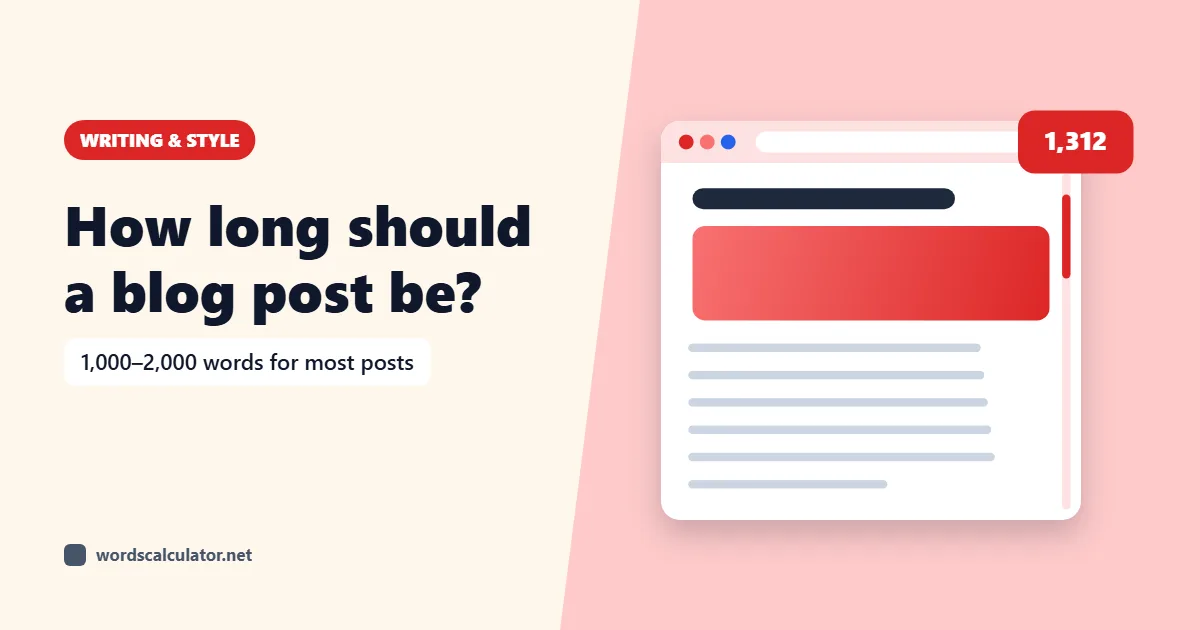
| Average length of a blog post (2026 survey) | 1,312 words | Orbit Media |
| Average length of a Google first-page result | 1,447 words | Backlinko (11.8 million results) |
| Google's preferred word count | None | Google Search Central |
The Backlinko study also found that, within the first page, longer pages didn't rank higher than shorter ones. Treat these as averages, not targets.
Title, meta description, headings and links
The Page elements tab reads the page's own tags before any text is removed. You get the title and meta description with their character counts, the canonical URL, the robots meta tag, the page language, a heading outline (H1 to H6), and a count of links, images (with and without alt text) and scripts.
Terms & phrases lists the words and two- and three-word phrases the page uses most, which shows the terms a page leans on.
What the counter can't see
- Text added by JavaScript after the page loads. The counter reads the HTML the server sends and doesn't run scripts, so pages built entirely in JavaScript can come back short. You'll see a warning when that looks likely. Google does run JavaScript when it indexes, so its view of such a page can differ from this count.
- Pages behind a login, paywall or cookie wall. No cookies or passwords are sent.
- Private and local addresses such as localhost or 192.168.x.x, which are blocked.
- Pages whose robots.txt disallows automated fetching. The counter respects it.
- Pages over 2 MB of HTML, or that take longer than 10 seconds to respond.
What happens to the page and the URL
This is the one Words Calculator tool that uses a server, because a browser can't fetch another website's HTML on its own. The server fetches the page once, pulls out the text and sends it back. The HTML and the text aren't stored, and the URL isn't logged. The only thing kept is a short-lived rate-limit counter, keyed to a hash of your IP address and holding request times only, which stops the tool being used to hammer other sites.
Common questions
How do I count the words on a website?
Paste the page's URL into the counter and press Analyze page. You'll get the word count for the main content and for the whole page, plus the text that was counted so you can check it.
Does the word count include the menu and footer?
Not in the main content count. Choose Full page body if you want everything, including navigation, sidebars and the footer. The report shows both numbers side by side.
Is word count a Google ranking factor?
No. Google says it has no preferred word count, and its staff have said the number of words isn't a ranking factor. What matters is whether the page answers the searcher's question.
How many words should a blog post be?
As many as it takes to answer the question well. For reference, the average blog post in Orbit Media's 2026 survey was 1,312 words, but short posts can rank if they answer a narrow question completely.
Why is the word count lower than I expected?
The page may load its text with JavaScript, which the counter doesn't run, or the main-content boundary may have missed part of the page. Check Text preview and try Full page body.
Can I count words on a competitor's page?
Yes, for any public page whose robots.txt allows it. It's a quick way to compare length, headings and the phrases a page uses.
Does it count image alt text and link text?
Link text is counted by default and can be switched off. Image alt text is off by default and can be switched on under Text inclusions.
Can I count words on a whole website at once?
No, one page per report. Run each important page separately to compare them.
Is the page or the URL stored?
No. The page is fetched, its text extracted and the report returned. The HTML, the text and the URL aren't kept.
Why does it say the page can't be fetched?
The site may block automated requests, need a login, disallow it in robots.txt, take longer than 10 seconds, or be larger than 2 MB. Private and local addresses are always blocked.
Sources
- Creating helpful, reliable, people-first contentGoogle Search Central
- Google: word count is not a quality factorSearch Engine Journal
- We analyzed 11.8 million Google search resultsBacklinko
- Blogging statistics and trendsOrbit Media
- JavaScript SEO basicsGoogle Search Central